See it in action: Watch the 3-minute raw-to-report extraction demo below. No signup required.
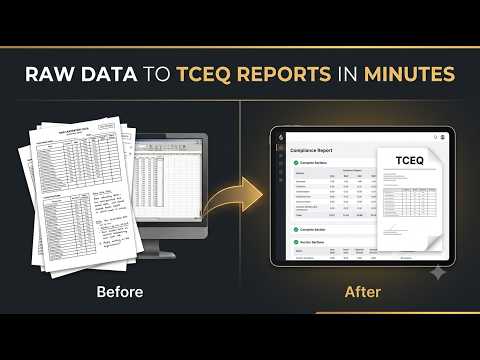
Upload raw lab data. Receive a complete, audit-ready APAR report in minutes — formatted exactly to your firm's standards, with every CAS number verified and every value cross-checked against your source files.
See it in action: Watch the 3-minute raw-to-report extraction demo below. No signup required.
Every project starts the same way. A lab sends over raw data files — sometimes 60, 80, even 120 pages long — packed with mixed tables, QC samples, method blanks, surrogates, and detection limits that have nothing to do with your specific site. Somewhere buried in all of that noise are the values you actually need.
You open the PDF. You start scrolling. You start copying. You start second-guessing whether the value in row 14 of Table 3 matches the CAS number you entered two cells back. You switch between windows, cross-referencing against your spreadsheet, your checklist, your memory of what the last report looked like.
Three hours later, you have a draft — and you still haven't checked it.
Raw lab deliverables are bloated. You're manually extracting data from files designed for lab QA/QC — not for TCEQ APAR formatting. Standard tools choke on the volume or can't parse the structure at all.
CAS numbers transposed. Concentrations misread. Units missed during conversion. Every manual keystroke is a liability — especially when your name is on the report and the deadline was yesterday.
Even after the data is correct, you still need to format the report. Match your firm's layout. Match TCEQ's expectations. Match the look of every report your client has seen before. That's billable hours burned on presentation, not analysis.
Apar-Intelligence is purpose-built for one workflow: transforming raw analytical lab data into TCEQ-compliant APAR reports. No general-purpose spreadsheet hacks. No workarounds. Just a direct, auditable pipeline from raw file to finished document.
Open the upload interface and specify exactly which page ranges contain the relevant analytical data. The system only processes what you designate — no bloated parsing, no wasted compute, no surprises from extraneous lab QC pages contaminating your results.
Drop your raw lab PDF into the secure upload queue. Apar-Intelligence extracts the analytical values, compound identifiers, CAS numbers, method references, and reporting limits from your selected ranges — structuring them into an organized, queryable dataset in real time.
Use the built-in cross-check dashboard to verify every extracted value against your source file. Fill in missing CAS numbers from the integrated database. Then generate your APAR report in your firm's exact format — ready for review, ready for submission.
Not a generic data tool repurposed for environmental reporting. Every feature exists because a consultant asked for it, or because the manual alternative was costing real hours on real projects.
When you submit a file, you see exactly what's happening — not a black box spinner. The dashboard tracks real-time processing status: page parsing, data extraction, value validation, and document generation. Each stage shows elapsed time so you know whether your 80-page file will take 90 seconds or four minutes.
This isn't just a progress bar. It's transparency you can plan around. If you're batching multiple site reports, you can queue them sequentially and see aggregate processing time across your entire submission.
Every extracted value is placed into a structured, side-by-side database that mirrors your source PDF. You see the original lab value on the left and the extracted value on the right — aligned row by row, compound by compound.
When the lab report is missing a CAS number or uses an uncommon analyte name, the system flags it and suggests matches from an integrated chemical reference database. You confirm or override in one click. No separate lookups. No switching to a browser tab to search a CAS registry.
Your firm has a way it presents APAR data. Specific table layouts. Specific header formatting. Specific ordering of analytes, specific footnote conventions, specific ways of handling non-detects and reporting limits. You've built that over years of client relationships and TCEQ submissions.
Apar-Intelligence doesn't ask you to change that. During onboarding, your report template is mapped to the system — cell by cell, section by section. The generated output matches your existing format so precisely that your review process doesn't change. The data just arrives pre-populated instead of manually entered.
If your workflow involves receiving raw analytical lab data and converting it into APAR-formatted reports for TCEQ submission, Apar-Intelligence was designed around your exact process — not a generic data tool repurposed for compliance work.
BOOK A DISCOVERY CALL30-minute walkthrough with your own lab data. No commitment, no sales pitch — just a direct demonstration of how this fits your reporting workflow.